
ClipTranscribr
ClipTranscribr.com downloads YouTube captions from videos, playlists, and channels, turning them into SRT, VTT, TXT, and CSV files. Quickly change subtitles into the format you need with a few clicks.Key...
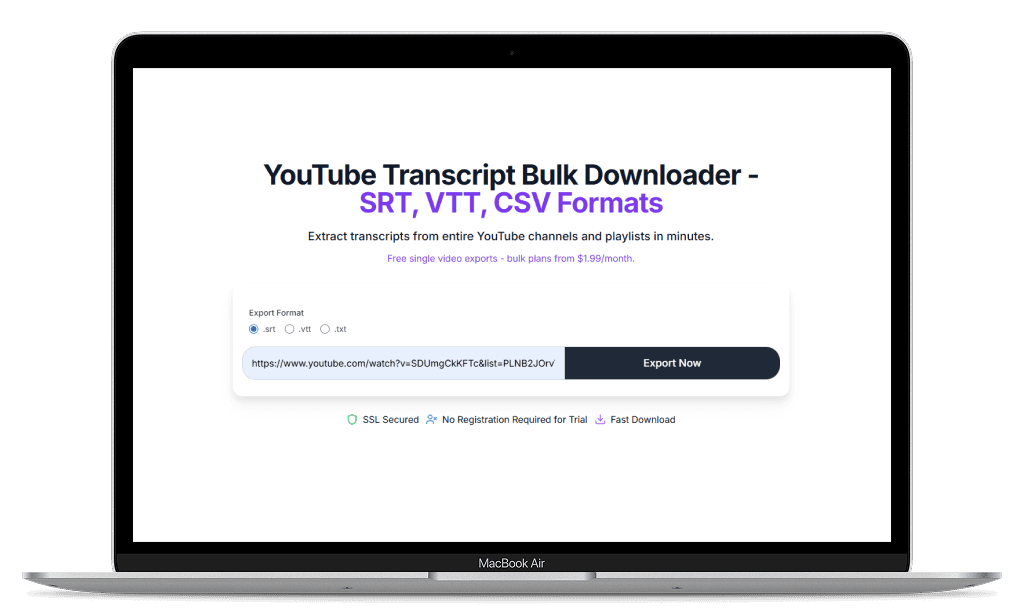
What is ClipTranscribr?
ClipTranscribr.com downloads YouTube captions from videos, playlists, and channels, turning them into SRT, VTT, TXT, and CSV files. Quickly change subtitles into the format you need with a few clicks.Key features: - Multiple format choices: SRT and VTT (subtitle files with timestamps), TXT (simple text with/without timestamps), and CSV (spreadsheet format) - Download from single videos or export in bulk from entire playlists and channels - Uses human-made captions when available, switches to auto-generated transcripts when needed - All languages supported: Downloads transcripts in whatever language the video uses - Works with any public YouTube video that has captions available How it works: 1. Paste a YouTube video URL 2. Choose your file format 3. Download your transcripts Simple tool focused on transcript downloads.
Key Features
Single and bulk exports
Download from single videos or export in bulk from entire playlists and channels
Multiple format choices
SRT and VTT (subtitle files with timestamps), TXT (simple text with/without timestamps), and CSV (spreadsheet format)
Video Transcripts
Uses human-made captions when available, switches to auto-generated transcripts when needed
Supported Languages
Downloads transcripts in whatever language the video uses
Tool Information
Want To List Your Product?
Reach thousands of potential users by listing your SaaS on FindYourSaaS.
Get Started Free